> For the complete documentation index, see [llms.txt](https://cylexdev.gitbook.io/docs/llms.txt). Markdown versions of documentation pages are available by appending `.md` to page URLs; this page is available as [Markdown](https://cylexdev.gitbook.io/docs/scripts/cylex-loading-screen/introduction.md).
# Introduction
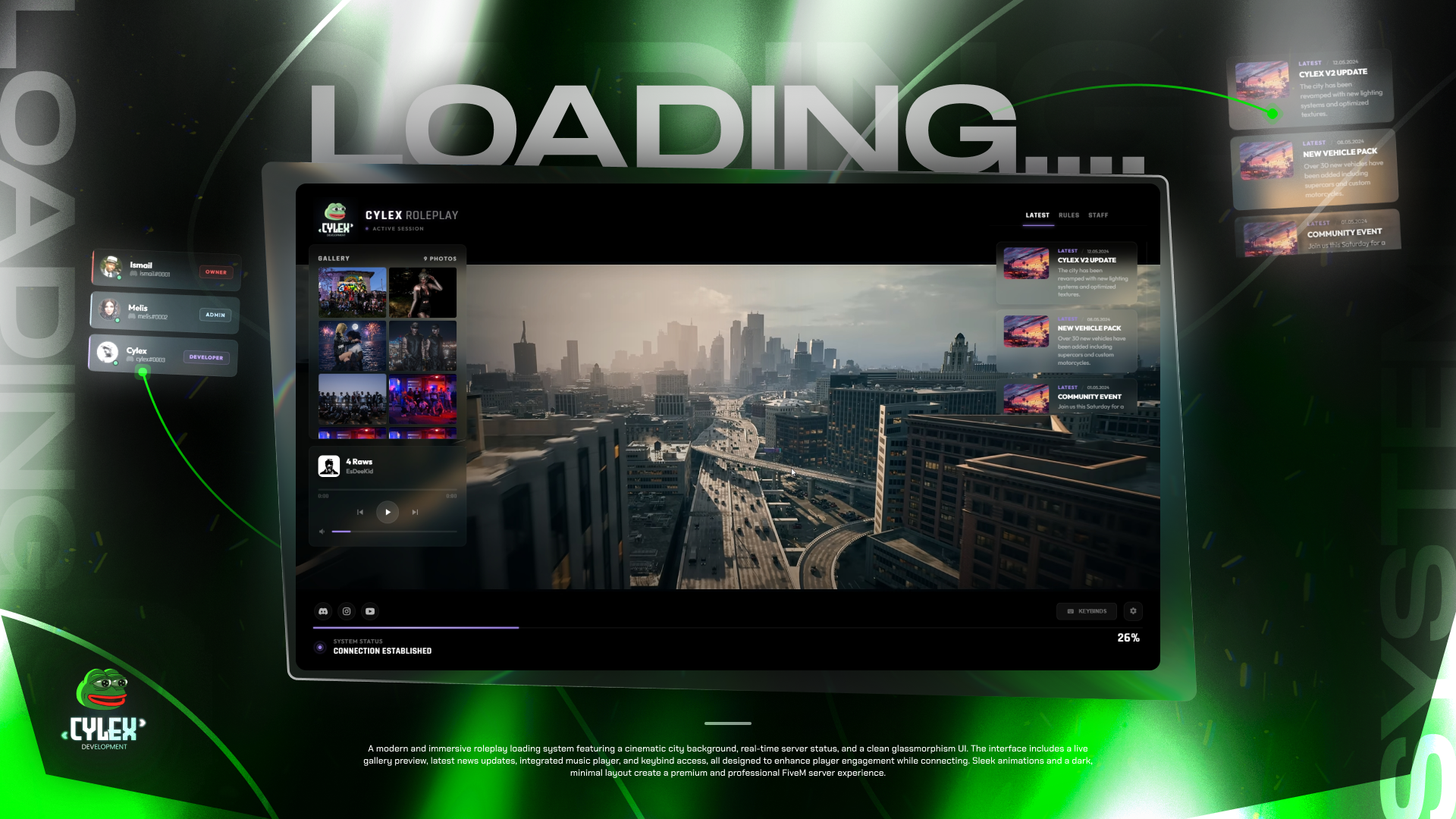
Cylex Loading Screen is the screen players see while they join your FiveM server. Video or image background, music, news, rules, staff, gallery and keybinds, all set in one config file.
Cylex Loading Screen is the screen your players see while they join your server.\
It shows your server name and logo over a video or image background, plays your music, and fills the wait with your news, rules, staff list, screenshots and keybinds.\
Everything is set in one file, `html/config.js`. You do not need to build anything after a change.
### Key Features
* A video or image background, with a dark layer you can turn up so the text stays easy to read.
* A music player for your own MP3 tracks, with cover art, volume, next and previous. Players press Space to pause or play.
* News, Rules and Staff tabs. The panel moves to the next tab every 10 seconds, and long lists scroll by themselves.
* A gallery for your screenshots. A click opens the full picture, and the arrow keys move through them.
* A keyboard map. The keys you list light up, and a hover or click shows what they do.
* Buttons for your Discord, Instagram and YouTube.
* One accent colour for the whole screen. You set the default, and players can pick another one from your palette while they wait.
* A progress bar with the real loading progress of the game, and status messages you write yourself.
* Every section can be turned off on its own, and every label can be translated.
* Works on every server: QBCore, Qbox, ESX or standalone.
### Installation Steps
{% content-ref url="/pages/N5Eno536ZMSRjrLHMngr" %}
[Installation & Configuration](/docs/scripts/cylex-loading-screen/installation-and-configuration.md)
{% endcontent-ref %}
{% content-ref url="/pages/1kg8Bq4SYR0B9jvojtLr" %}
[Customization Guide](/docs/scripts/cylex-loading-screen/customization-guide.md)
{% endcontent-ref %}
### Dependencies
None. The loading screen does not need a framework, a database or any other script.
### What You Can Edit
| File / Folder | Editable? |
| --------------------------------------------- | ------------------------------------------------------------ |
| `html/config.js` | Yes — every setting and text |
| `html/video/`, `html/audio/`, `html/image/` | Yes — your background video, music, covers and pictures |
| `fxmanifest.lua` | Yes — the `files` list, when you add a new file type |
| `client.lua` | No need — it only closes the loading screen |
| `html/index.html`, `html/js/`, `html/assets/` | No — the built page. Any change is lost with the next update |
### Support
Store: \
Discord: